Permission Denied on main Users Page or Documents Page and Others
If you previously had a way to navigate to the main Users page, or Documents page, etc., you may see a permission denied message similar to this:

These main pages (technically: Section Fronts) now require the corresponding Navigation tab to be enabled for the user role(s) of the users who get that message.
How to Enable Permission
Most likely, a site administrator needs to check the box for a navigation tab on one or more user roles. In this example, users with this role can't see the Users section front:
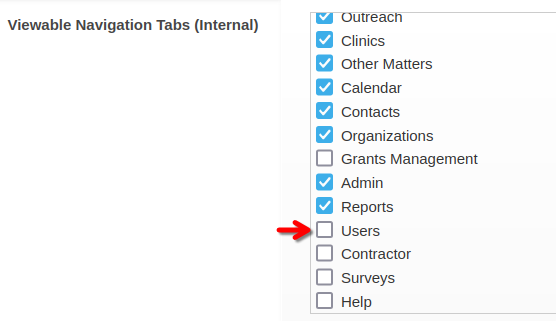
User roles are edited on the Admin > User Roles (Permissions) page.
What if a tab is not in the list?
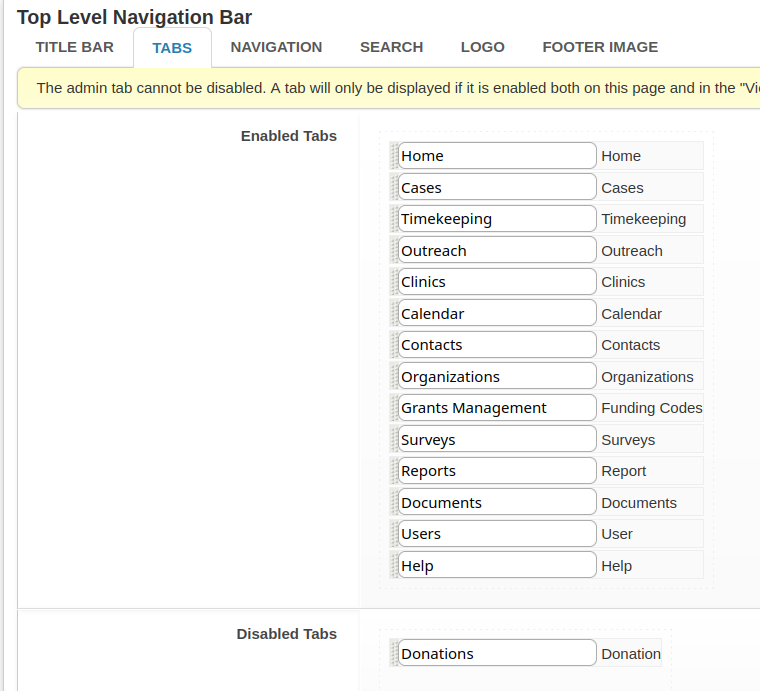
You need to make the tab available. Do that on the Admin > General Site Admin > Top Level Navigation Bar/Search page.
In this example, there would be no Donations tab available on user role pages because it is disabled globally: