
Client Profile Pages
You typically land on a client profile page by clicking a client's name in a list, versus clicking a case number to view the case profile.
Client profile pages are useful when your site associates multiple cases to the same client.
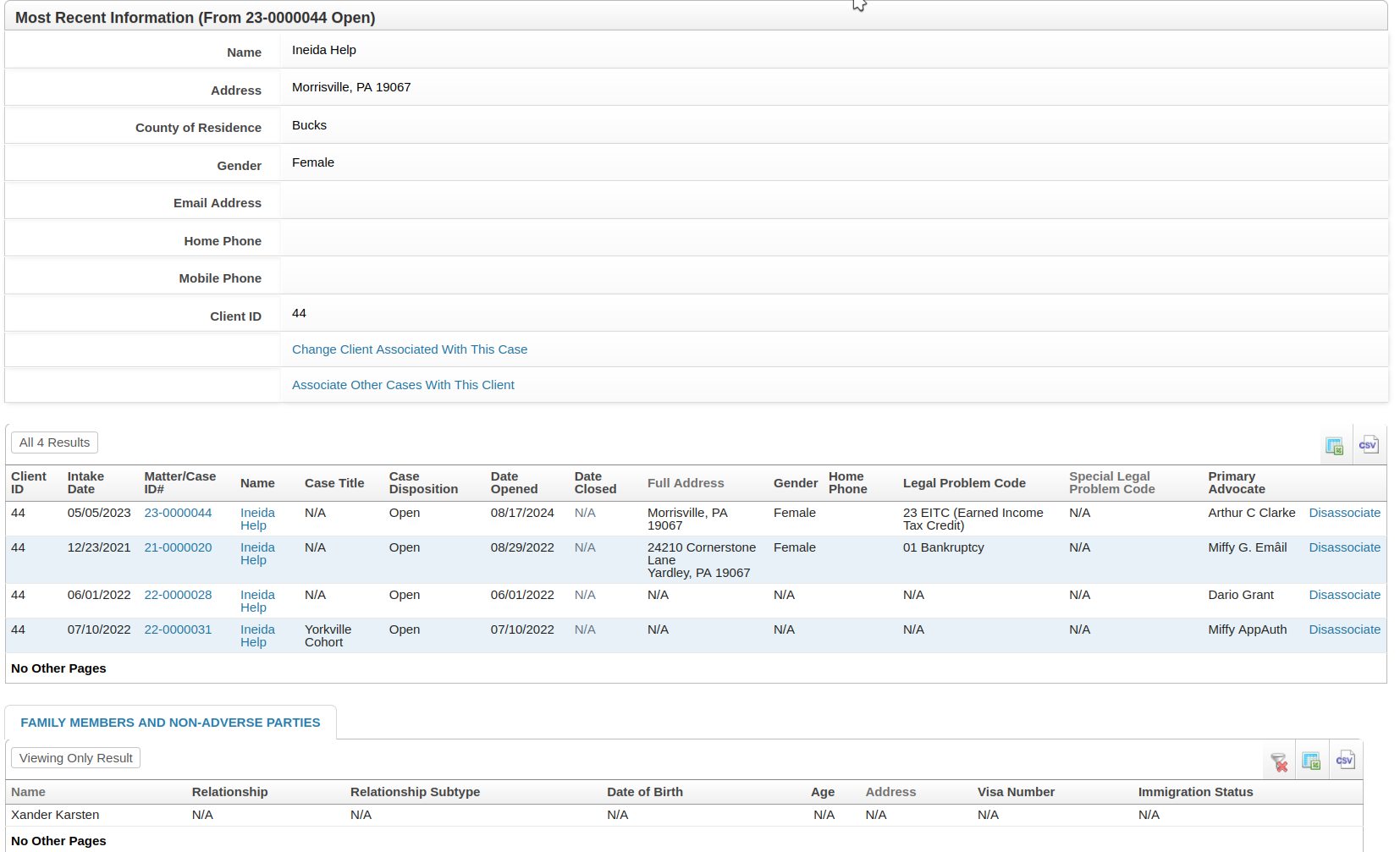
A summary of the information from the "most recent" case is displayed, followed by a list of all cases associated with the same client ID, then several other lists of information across all those cases.
Here is a partial screenshot of a fake client that has four associated cases:
Bulk Edit
There is an Actions menu > Bulk Edit link if your user role has permission to see it. See: Bulk Edit Client Information on Associate Cases.
Settings
Site administrators have a limited number of settings available on the Admin > Client Profile Settings page.
Client profile pages are not dynamic. Site administrators cannot, for example, add or remove field in the top section of the page.